Hey everyone, it’s Jake here, and I’ve been building and troubleshooting MIPI camera modules for over 12 years now. If you’ve ever worked with these tiny, powerful little parts for phones, drones, security cams, or even IoT devices, you know how frustrating it is when one goes out for no obvious reason—like, it worked fine when you left the warehouse, and now it’s dead on the assembly line, or worse, dead in the field 6 months later. I’ve seen way too many batches get trashed because of avoidable damage, and half the time it’s not even because of a bad part—it’s because people didn’t handle them right. So today, I’m breaking down exactly how to protect your MIPI camera modules from damage, from our warehouse all the way to when your product ships and is in the customer’s hands. MIPI Camera Module
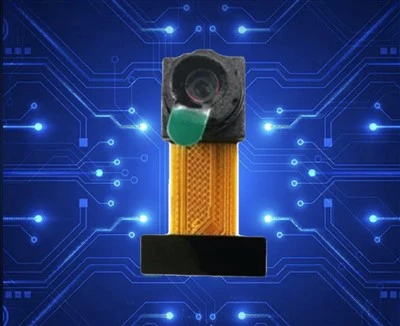
First off, let’s get one thing straight: MIPI camera modules aren’t like a random circuit board you can toss in a bin. They’re precision devices—those tiny image sensors, the flexible flat cables (FFCs), the connectors, all of it’s built to super tight tolerances. I’ve had a customer come to me once, panicking because 30% of their modules were DOA, and it turned out their factory techs were yanking the FFC out of its connector by the wire instead of the plastic tab. That’s a rookie mistake, and it’s totally preventable. Let’s start with the part that gets abused the most: the FFC and connector. This is where 40% of field failures I see start, hands down.
First, handling the FFC. I can’t tell you how many people grab the thin, fragile wire part instead of the stiff plastic edge when plugging or unplugging. That bends the copper traces inside way beyond their limit, and even if it works for a week, it’ll crack and die later. Our team here has a little sticker we put on every module’s ESD bag that says “GRAB THE TAB, NOT THE WIRE” but somehow it still gets missed. Also, when routing the FFC in your product, don’t make sharp bends—no tighter than a 5mm radius, trust me. I’ve seen someone route it around a 2mm screw post, and 2 months later the trace snapped right there. And never kink the FFC—even a small crease can break the conductors inside, even if you can’t see it. If you need to secure it, use a piece of foam tape that’s just holding it down, not stretching it, not pressing hard on the FFC itself.
Next up: ESD (electrostatic discharge). I know, I know, everyone says ESD is important, but MIPI modules are way more sensitive to that than old-school analog cameras. Those tiny image sensors can get a static zap that you can’t even feel—like, 50 volts—and that’s enough to fry the sensor’s circuitry, no warning signs, just a dead module. I’ve had a batch come back where the entire lot had vertical lines on the image, and it turned out their assembly line’s ESD mats were broken, so the techs were dragging static across the modules as they handled them. So here’s the real deal on ESD handling: first, every single person touching these modules needs a grounded wrist strap. No exceptions. Even if you think your shoes are grounding you, don’t risk it. The workbench has to be a proper ESD mat, grounded, and you have to check it weekly (not just when you set it up). Also, the modules come in static-shielding bags—do NOT throw those away until you’re ready to assemble them. I see people dump 100 modules into a regular plastic bin, and that’s a disaster waiting to happen. If you’re moving multiple modules, use the ESD shipping bins we send, or line a regular bin with an ESD sheet. And when you’re soldering or testing, make sure your iron is grounded too—no cheap $10 irons that don’t have a proper ground, that’s a huge static risk.
Then there’s physical damage from shock and vibration. MIPI modules are in products that get dropped, shaken, vibrated—drones crashing, security cams on moving trailers, phones being dropped on concrete. The sensor and lens are mounted on tiny plastic or metal frames, and if they take a hard hit, the frame can shift, the lens can crack, or the sensor can get knocked out of alignment. Last year, we worked with a drone company that was having issues with blurry images after flight testing, and it turned out their module wasn’t secured tightly— the vibration from the motors was shifting the sensor frame by 0.1mm, which is enough to make the whole image out of focus. So how do you prevent that? First, when mounting the module, don’t over-tighten the screws or the retaining clips. I’ve seen someone crank a clip down so hard that the lens frame cracked— the plastic is only rated for so much force, usually around 0.5 Nm for most modules, so use a torque screwdriver, not a regular one you just tighten until it feels tight. Also, add a small amount of shock-absorbing material between the module and the product’s housing—like a thin piece of silicone foam or rubber. Not too thick that it presses on the lens or FFC, but enough to absorb small shocks and vibration. And for lens protection—seriously, use a cover when the module’s not assembled. The thin glass lens scratches super easy, and a tiny scratch on the lens will ruin the image quality, way worse than a scratch on a phone’s back. I keep a stack of clear plastic lens covers in our warehouse for customers who forget theirs—they’re cheap, take 2 seconds to put on, and save you from a ton of headaches.
Wait, let’s talk about temperature and environmental damage too, because that’s another big one that people overlook. MIPI modules work in a specific range, usually between -20°C and 60°C, but if you’re exposing them to extreme temps—like leaving them in a shipping container in 50°C heat for a week, or sticking them inside a device that gets up to 70°C from a power source—you’re going to have issues. High temps can soften the adhesive holding the lens frame, or degrade the FFC’s insulation over time. Low temps can make the plastic brittle, so if you drop a module in a cold warehouse, the FFC might snap. Also, moisture—if the module isn’t sealed properly (like in an outdoor security cam), condensation can get inside the housing and cause corrosion on the connector pins. I recommend adding a small desiccant packet inside the product’s housing when assembling outdoor modules, and making sure the housing has proper vents to let moisture escape, not trap it. Oh, and never expose the module to liquids unless it’s rated for IP67 or something—even a little water spill on the connector can short circuit it, same thing with dust. Dust getting into the connector pins will cause bad connections, ghosting in images, or even total failure over time.
Let’s circle back to our side as a supplier, because I don’t just want to tell you what you’re doing wrong—we’ve made improvements on our end too, to make these modules more durable for you. For example, we now add reinforced plastic tabs to all our FFCs, so you can grip them without worrying about snapping the wire part. And we test every single module for ESD resistance, shock, and temperature before we ship it, so you don’t have to waste time testing dead parts. We also include a little quick-start guide with every order that has those exact rules I mentioned—handling the FFC, ESD, mounting tips— because we know you’re busy and might forget those little details when you’re cranking out units.
Wait, one more common mistake: testing the module wrong. A lot of people hook up the module to a test board and yank the FFC in and out repeatedly during testing, which wears out the connector pins. We recommend using a test socket that’s designed for MIPI modules, so you don’t have to plug and unplug the actual module’s FFC every time. Those sockets are cheap, and they make the module last way longer during testing. Also, when testing, don’t crank up the voltage higher than the rated input—most MIPI modules run on 1.8V or 2.8V, and even a 0.5V overvoltage can fry the sensor instantly. I’ve had a customer send us a module that wouldn’t turn on, and it turned out their test lab was using a 5V power supply by mistake—total wipeout, and avoidable.
So to wrap this up, let’s make this simple: the main damage points are FFC mishandling, ESD, physical shock/vibration, extreme temps, and bad testing habits. All of these are preventable with small, consistent steps. If you follow the rules: grab the FFC tab not the wire, use ESD protection for everything, handle the lens and connector carefully, mount with proper torque and shock absorption, control temps and moisture, and use the right test tools—you’ll cut your module failure rate by at least 20%, I’d bet on it.

Here at our company, we supply MIPI camera modules to all kinds of businesses—from small IoT startups to big drone manufacturers. We’ve been doing this long enough to know that a good module is only as good as how well it’s handled, so we’re always here to help if you run into issues, or if you need custom modules built for your specific product. Whether you’re just starting out and need advice on handling, or you’re looking to bulk order durable MIPI camera modules, reach out to our team anytime. We’re not just a supplier—we’re people who build these things every day, so we know exactly what works.
Mid Resolution (13–32MP) Reference:
- MIPI Alliance. (2022). MIPI CSI-2 Specification for Camera Modules, Version 2.1.
- Electronic Industries Alliance (EIA). (2019). ESD Handling Standards for Semiconductor Devices, ANSI/ESD S20.20.
- TE Connectivity. (2021). FFC/FPC Connector Handling and Application Guidelines for Consumer Electronics.
- International Electrotechnical Commission (IEC). (2020). Environmental Testing for Electronic Components, IEC 60068 Series.
Shenzhen Juchangxing Technology Co., Ltd.
We are one of the most experienced mipi camera module manufacturers and suppliers in China, also support custom service. We warmly welcome you to wholesale durable mipi camera module at competitive price from our factory. If you have any enquiry about cooperation, please feel free to email us.
Address: 3rd Floor, Build A, No. 8, Huangdiyin IndustrialZone, Longhua District, Shenzhen.
E-mail: sales@juchangxing.com
WebSite: https://www.jcxcamera.com/
